To open a file or document on the desktop:
•
Double-click the icon of the file or document.
Click the icon twice quickly, being careful not to move the mouse between clicks.
Tip: You can also open a document by dragging the icon of the document onto the icon of the program you want to use.
To open a document from within an application:
•
Open the File menu and choose Open.
Tip: For more help using the Open dialog box, open the Help menu and choose Show Balloons. Then point to the item you're interested in.
Opening a file on a different disk or from a network location
Many applications provide options that enable you to:
•
open several files at once by holding down the Shift key as you select the files
•
open documents on your iDisk by clicking the Shortcuts button
•
open and save documents on AppleShare servers on your network using the Shortcuts button
•
connect to unmounted AppleShare servers using the Shortcuts button
•
add zones, servers, volumes, and folders that you use frequently to the Favorites button
•
choose from a list of recently opened or saved documents using the Recent button
Shortcuts
Recent
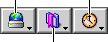
Favorites
Related topics
Problems opening Mac OS files
Problems opening programs
Problems opening DOS or Windows files
Accessing files using iDisk
Table of contents