
Software Bundled with IRIX 6.5.7
| IRIX 6.5.7 Applications CD |
Scroll down this page to read about the bundled set of desktop software applications, including Web tools, desktop productivity tools, and other software. Note: The IRIX 6.5 Applications CD, February 2000, is a companion to IRIX 6.5.7. This CD contains the IRIX Desktop and various desktop applications. Application upgrades shipped with the IRIX release are either full images or overlays. Full images and base versions of overlays can be found on the Applications CD, whereas updates to overlays are found on the IRIX 6.5.7 Overlays CD, February 2000. To install the new versions of overlay applications you must install IRIX 6.5.7.
|
||||||||||||||||||||||||||||||||||||||||||||||||||||||||||||||||||||||||||||||||||||||||||||||||||||||||||||||
| Full Images vs. Overlays |
SGIMeeting and SGIMeeting Extensions are both now licensed products and are no longer available on the Applications CD. More information on this product can be found at http://www.sgi.com/software/sgimeeting/ and the latest version can be obtained from http://www.sgi.com/Products/Evaluation/ or contact your local SGI sales representative.
These Overlays have been revised for the IRIX 6.5 Overlay CD, February 2000:
|
||||||||||||||||||||||||||||||||||||||||||||||||||||||||||||||||||||||||||||||||||||||||||||||||||||||||||||||
| Documentation | Note: As an SGI customer you have access to all of SGI's product documentation online. To view a document please visit our Technical Publications Web page at http://techpubs.sgi.com.
|
||||||||||||||||||||||||||||||||||||||||||||||||||||||||||||||||||||||||||||||||||||||||||||||||||||||||||||||
IRIX 6.5.7 Advanced Workstation Environment |
SGI is introducing complete, value-added solutions to servers and workstations with IRIX 6.5 Advanced Server Environment and IRIX 6.5 Advanced Workstation Environment. IRIX 6.5 ASE and AWE give you a complete operating environment, including interoperability tools, enterprise management software, and the maturity and performance of IRIX 6.5.
* EnlightenDSM server license in ASE; client agent only in AWE. IRIX 6.5 Advanced Workstation Environment desktops are also available in Chinese, Japanese, Korean, French, and German. Over time, SGI will continue to deliver total solutions by adding to IRIX 6.5 Advanced Server Environment and Advanced Workstation Environment, allowing you to do more with your SGI machines. |
||||||||||||||||||||||||||||||||||||||||||||||||||||||||||||||||||||||||||||||||||||||||||||||||||||||||||||||
| Licenses for IRIX Applications | To see what licenses you have, open License Manager.
If you have a question about which licenses you may be entitled to,
send an e-mail to |
||||||||||||||||||||||||||||||||||||||||||||||||||||||||||||||||||||||||||||||||||||||||||||||||||||||||||||||
| Third-Party Applications Support | Some of the products shipped are third-party applications. To find out how to get support for these products, refer to the Third-Party Applications Support page. |
You can find the icons for these desktop tools in the Icon Catalog (click on the Find menu on the Toolchest, and select the page you want). Unless otherwise noted, you can reinstall these products from the IRIX Overlays CD and IRIX Applications CD.
| Netscape® Communicator | Browse the World Wide Web. Netscape® Communicator is available on the IRIX Applications CD, and comes preinstalled on most systems from SGI. Netscape® Communicator includes the following:
|
||
| Netscape® Navigator | Netscape® Lite. If you prefer to save disk space and memory and only want to use the Web browser, and not the Netscape® mail, news, or HTML editor, you can install the Netscape® Navigator Client product from the Applications CD in the "extras" directory. This will uninstall the Netscape® Communicator software. |  |
|
| Netscape® Messenger | Netscape® Messenger is built in to Communicator. Netscape® Messenger is the default mail program for SGI. (This link only works if you have already installed Netscape® Communicator 4.05 or higher). Using Netscape® Messenger makes it easy to send and receive URLs- they automatically appear as highlighted links in your messages. Just click on the link to view the page! You can also mail references to Web sites with a single command. Launch Mail from the Communicator Menu menu within Netscape®. |  |
|
| Cosmo Player | Browse VRML 3D Worlds. SGI ships Cosmo Player with all systems as a plug-in to Netscape®. Cosmo Player brings the power and excitement of 3D graphics to the World Wide Web. As part of the WebFORCE® software environment from SGI, Cosmo Player advances the revolution started by text-based multimedia Web browsers. With point-and-click simplicity, you can now fly through virtual cities or resorts, visualize stock market trends in 3D, or inspect 3D models of products in online catalogs. Cosmo Player enables natural, intuitive navigation of information on the Internet. Now, text, images, video, audio, and even other 3D models can be accessed directly from a 3D environment, making information access as easy as browsing in a bookstore. |  |
|
| Cosmo Create | Author your own HTML Web pages. Cosmo Create is a powerful HTML editor that allows anyone to quickly and easily create cross-platform, media-rich Web pages. It replaces WebMagic (our previous HTML editor) and is now available on the Applications CD without the need for a purchased license. CosmoCreate provides a WYSIWYG (what you see is what you get) user interface that automatically generates HTML. Incorporating text, images, video, and audio is as simple as drag and drop, enabling you to focus on content instead of worrying about HTML tags. Cosmo Create includes a set of predefined templates for the quick creation of standard home pages. You can find the Cosmo Create icon on the WebTools page of the Icon Catalog. |  |
|
| OutBox Personal Web Site | Publish information to your intranet. With the OutBox Personal Web Site, you can make files on your system easily available to co-workers, regardless of the computing platform they are using. OutBox creates default personal home pages for all users and a system home page, which you can use as-is or modify as needed. Outbox uses the Netscape® FastTrack Server, which is preinstalled on most systems. |

|
|
| Netscape® FastTrack Personal Server/Netscape® Admin Server | Netscape® FastTrack Personal Server. Serving up Web pages has never been so easy! SGI preinstalls and configures the Netscape® FastTrack personal server on all Silicon Graphics® O2® systems. The server automatically turns on when you power on your system. All you need to do to publish your files on the Web is put them in the public_html folder you will find in your home directory (for example, /usr/people/bob/public_html). The FastTrack Personal server is also configured to work with OutBox (see above). FastTrack server is an easy-to-use, powerful Web server for creating and managing Web sites. It includes all the standard Netscape® features like security (SSL), server-side Java (TM), JavaScript, high-performance NS-API, and traffic logging. FastTrack is an ideal solution for publishing traditional intranet and Internet documents as well as developing and deploying live network-centric and media-rich applications. |
 |
|
| Site Manager | Manage the content on your growing site easily. When your site has anywhere from 25 to 25,000 or more pages and you want revision control with an easy-to-use interface, use Site Manager. Site Manager gives you link and HTML validation, a cool 3D hyperbolic view of your links, and usage statistics from the server traffic logs. Site Manager is perfect for a collaborative authoring team or any site that wants more control and metadata. The Site Manager Server should be configured by someone knowledgable about Web servers. See the Site Manager release notes for more details. Site Manager works well with Netscape® FastTrack Server. You can find the icon for Site Manager on the WebTools page of the Icon Catalog. |

| |
| WebJumper | Jump easily to your favorite hotspots on the Web. Web Jumper allows you to save URLs as desktop icons and then double-click the icon to view the page. Organizing the icons on your desktop becomes easy. The icon for Web Jumper is on the Web Tools page of the Icon Catalog. |  |
|
Desktop Productivity Tools |
|||
For more detals on SGI's desktop see the desktop Webpage. |
|||
| Adobe® Acrobat Reader(TM) | Adobe® Acrobat Reader(TM) is your window into the world of documents digitally published in the Adobe® Portable Document Format (PDF). With Adobe's rich set of PDF authoring tools and PDF readers available at no cost for PC, MAC® and UNIX® platforms, sharing information using PDF is a welcome solution for publishing information in a heterogeneous networked computing environment, such as the World Wide Web. PDF allows documents to be presented in their original form, retaining the font, color, graphic, and page layout information as the author intended. The icon is on the Applications page of the Icon Catalog. |  |
|
| Desktop Media Tools | Capture your ideas in any medium. Desktop MediaTools give you the option to choose the most effective way to capture and communicate an idea. The Media Tools support creation and editing of standard file format sounds, movies, images and 3D objects. Once you have captured your ideas, the IRIX Interactive Desktop supports you in sharing information with your colleagues in the most effective way. All of these tools are on the Media Tools page of the Icon Catalog |  |
|
| ImageVision(TM) Tools | ImageVision Tools are a set of image generation and manipulation utilities, including:
|
||
| Impressario(TM) | Impressario(TM)is an enhanced printing and scanning environment for SGI workstations. Impressario consists of several products:
|

|
|
| Impressario(TM) scanning tools allow you to easily capture images from a scanner, file, or monitor. The Scanner Manager tool provides a simple interface for installing and configuring scanners. |  |
||
| Impressario(TM) Printer Drivers support the IRIX Desktop architecture, allowing you to use the IRIX Printer Manager to configure and manage Impressario printers. Selected printers are supported: Apple® LaserWriter, Epson Stylus, Lexmark Optra, HP LaserJet, HP DeskJet, and HP DesignJet. The HP and Epson drivers require the Impressario optional Adobe® Level II PostScript interpreter. | 
|
||
| InPerson (TM) | Discuss interactively, regardless of location. Through InPerson desktop conferencing, you can conduct online meetings that include movies, images, interactive 3D models, audio, and video. The icon is on the Applications page of the Icon Catalog. PeoplePages, the Indigo Magic Phonebook, is a companion product to InPerson that is also shipped with your system. |
 |
|
| InfoSearch | Search all documentation formats. InfoSearch allows users to search and browse virtually all SGI documentation from a single Web interface: online books, help cards, man pages, and release notes. You can launch InfoSearch from the Help menu on the Toolchest. Some users will prefer InfoSearch's consistent Web interface; others prefer InSight's richer functionality. InfoSearch can be found online in the TechPubs Library. |  |
|
| IRIS InSight(TM) | IRIS InSight(TM) includes Viewer, SGIHelp viewer, and the Online Glossary. IRIS InSight (TM) Viewer lets you easily search and browse SGI online documents and support libraries. With this product, you can view the glossary of terms, the online Help, the online versions of the standard end-user documentation set, and more. Launch InSight by selecting Help...Online Books from the Toolchest. The InSight Glossary is a list of terms and definitions used in the various InSight manuals. The glossary can be opened, searched, and viewed like any other InSight document. However, it is primarily a hyperlinked resource for other InSight manuals that do not have back-of-book glossaries. Other desktop applications rely on this product for the SGIHelp viewer. |
 | |
| IRIS InSight DynaWeb | IRIS InSight DynaWeb, a product of INSO Corporation, is a CGI (Computer Gateway Interface) Web server application for users who prefer to search and view online manuals via a Web browser. IRIS InSight DynaWeb server automatically converts SGML files, the same files used by IRIS InSight, to HTML dynamically. InfoSearch relies on this product. |  | |
| NEdit | NEdit is a standard graphical user interface (GUI) text editor for programs and plain text files. If you've used Macintosh® and Microsoft® Windows® based text editors, you'll find NEdit a familiar and comfortable environment. |  |
|
| Showcase(TM) | Deliver compelling presentations. IRIX includes Showcase, the interactive, multimedia, presentation creation tool. Integrate text, images, and video to create dynamic presentations. The icon is on the Applications page of the Icon Catalog. | 
|
|
Other Software |
|||
| AccessX | The SGI AccessX graphical interface allows movement-impaired users to set and activate the following five special keyboard features:
|
||
| Annotator(TM) | IRIS Annotator (TM) is a multimedia application expressly designed for sharing ideas and information about 3D models. IRIS Annotator lets you annotate 3D models using the full complement of SGI Digital Media tools, then electronically mail the annotated models to others for review. IRIS Annotator is the ideal collaboration tool for any discipline producing 3D data, including engineering, manufacturing, architecture, life sciences, and geosciences. License required. |  |
|
| Adobe® Photoshop Performance Package | This package contains Photoshop plug-ins that accelerate many of Photoshop's image processing functions. Plug-ins are software modules (DSOs under UNIX) with which Photoshop can dynamically link to provide new features or in this case override built-in functions. The plug-in version of these functions uses your system's image processing hardware to help perform the required operations many times faster than the main CPU can. If you purchase Photoshop, install this product and launch Photoshop using the photoshop_sgi icon, available on the Applications page of the Icon Catalog, to take advantage of these enhancements. License Required. In the U.S. or Canada call SGI support for questions about Photoshop Licenses at 1(800)800-4SGI or see SGI Software Licensing. |

|
|
| Array Services | The array services are a set of kernel services and tools that simplify the management of jobs and systems in an array of SGI systems. | ||
| Color Management | The Color Management software contains libraries (supplied as DSOs), utility programs to apply color corrections (cocostiff(1), cocojpeg(1), cocogif(1), etc.), and International Color Consortium (ICC) color profiles for selected devices. Other applications rely on this product. | ||
| Customer Support Services | Includes:
|

 |
|
| Demonstration Programs | Cool demos to show off your system to your friends! You can launch them from the Demos page of the Icon Catalog. | 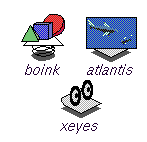 |
|
| Desktop System Monitor | System Monitor is an error reporting system for the IRIX Interactive Desktop. You can find an icon for it on the Support Tools page of the Icon Catalog. |  |
|
| Display PostScript | PostScript is an interpretive programming language with graphics capabilities for printing or displaying pages of text, two-dimensional graphical shapes, and sampled images. Display PostScript/X (DPS/X) is a PostScript interpreter that renders on the screen. DPS/X is based on Level 2 PostScript language; the SGI version of DPS/X is an extension of its X/Window System. The first time you run an application that uses DPS/X, the extension is loaded dynamically into the X server. DPS/X applications are X applications as well and are run in much the same way. | ||
| FDDIVisualizer | FDDIVisualizer is a tool for visualizing FDDI network traffic and bottlenecks. | ||
| Isogon, iFOR/LS 4.0 | There are two licensing products on the Applications CD from Isogon Technologies, a client run-time kit (CRK) and an administrative run-time kit (ARK). Only customers running applications licensed with iforcrk (such as CATIA) need to install the client, containing utilities to determine the host ID and to test access to the license server. Hosts running an iForLS license server should install the administrative run time, which contains licensing servers as well as the utilities in iforcrk. | ||
| IndigoMagic MediaWarehouse | Media Warehouse provides viewers for ASCII text, HTML, 3D models (Inventor(TM) and VRML), audio (AIFF, AIFC, NeXT/AU, and WAV formats), movies (SGI Movie, MPEG, and QuickTime® formats), IL image (see imgformats(1)), and X image (XPM and XBM) data types. Several desktop products rely on this product. | ||
| License Tools | The License Tools support the installation and management of software licenses and can be run interactively or automatically. This product should be installed on systems running licensed applications (it is preinstalled on most SGI systems). You can launch this tool from the System menu on the Toolchest. | 
|
|
| Performer | IRIS Performer provides a powerful and extensible programming interface (with ANSI C and C++ bindings) for creating real-time visual simulation and other interactive graphics applications. IRIS Performer 2.0 supports both IRIS GL and the industry-standard OpenGL(TM) graphics library; these libraries combine with the IRIX operating system and REACT(TM) extensions to form the foundation of a powerful suite of tools and features for creating real-time visual simulation applications on SGI systems. Performer is now located on the IRIX 6.5.7 Overlays CDs. |
||
| Serial Video LAN Control Panel and Tools | The VLAN 232 package provides an interface between SGI workstations and Videomedia V-LAN transmitters using RS-232 connections. | ||
| WebViewer | A Viewkit HTML viewing component. Other desktop products rely on this product. Available on the base IRIX CD for SGI(TM) Origin (TM) 200 and SGI(TM) Origin(TM) 2000, the Silicon Graphics® Onyx2, and the Silicon Graphics® Octane®. | ||